Tap a picture. Hear the word. Build a sentence.
Oso Voice is a communication app for iPhone and iPad, for people who can't rely on speech. It is built on published AAC research, it keeps everything on the device, and it never stops speaking.
Coming soon to the App Store.
A working preview with the app's own symbols and layout. Tap a word to hear it, then the speaker to hear the sentence. It uses your device's voice and sends nothing anywhere.
One purchase. Nothing gated.
No subscription, no in-app purchases, no free tier that stops speaking. Everything the app does is in the one price, including every vocabulary update.
Nothing leaves the device.
No accounts, no analytics, no advertising, no third-party services. The app does not use the network. The privacy policy is one page long.
Read the policyBuilt on published evidence.
Every design choice traces back to a written principle, and every principle to research you can read here, including the parts that are still open questions.
Read the clinical visionWho it is for
Augmentative and alternative communication, or AAC, gives a person a way to say what they mean when speech is not reliable. Oso Voice is one kind of AAC: a picture grid that speaks. It belongs at the breakfast table, in the therapy room and in a café, for as many years as the person needs it.
The person who uses it
Children with autism or speech delays are the design centre. Most of what a child wants to say in a day can be said from the home screen, and the adults around them can model it there too.
SLPs and school teams
Core vocabulary, motor-plan stability, Fitzgerald colour coding, aided language stimulation and presumed competence are principles the app is audited against, with the evidence published.
The clinical stance in detailNot age-banded
A communication system is kept for years. The app is used by adults, and its name and mark were chosen so a teenager or an adult can carry them without embarrassment.
What families can expectHow it is built
Four decisions that shape the app more than any other, and that most commercial systems make differently.
Core words first, folders at the edge
The home grid is mostly high-frequency words: pronouns, verbs, describing words and social words, in Fitzgerald order. Three gray folders sit in the bottom corner. A child can say you come play or I want more without opening anything.
Tapping an activity verb such as eat can jump straight to the food folder. Protest and regulation words, no, stop, help, never jump anywhere: a child's stop must never carry them away from the screen they were on.
Principles 1, 3 and 8 you
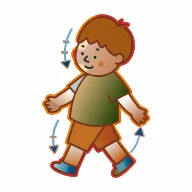 go
 eat
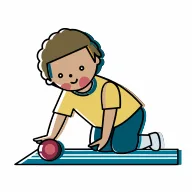 play
 big
 hi
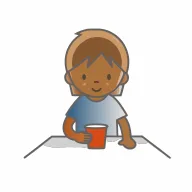 it
 drink
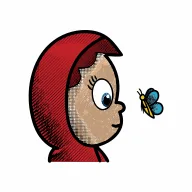 look
 this
 come
 little
 good
 that
 like
 make
 bad
 what
 who
 do
 get
Buttons never move
A person learns where a word lives the way a typist learns a keyboard: by motor memory, not by reading. So once a word has a position in a grid size, no update may move it. New words appear in cells that were hidden, in the place they were always going to be.
Changing grid size is the one thing that re-baselines a layout, and the app says so before it happens.
The position-stability researchColour means grammar, nothing else
Part-of-speech colour is a search aid, not decoration. The five Modified Fitzgerald Key colours render as a thin border around a white cell, because full-cell fills do not help symbol search at these grid sizes and are a documented clutter risk. A caregiver can turn on pastel fills for a larger grid.
Folders are gray on every grid, so navigation is the one thing that is never a grammar colour.
The colour research- Pronouns and people
- Verbs
- Describing words
- Nouns
- Social words and prepositions
- Folders are gray. Navigation is never a grammar colour.
Sensory-safe defaults, not just high contrast
Maximum contrast is not better for everyone. Gentle Mode is a calibrated low-arousal palette, desaturated warm neutrals with softer text and softer grammar colours, that ships alongside the standard palette and is one toggle away. It is deliberately not a generic dark mode.
Type is Lexend throughout, with no italics and no capitals-only labels, chosen for its reading-ease evidence given how often autism co-occurs with ADHD and dyslexia.
Principles 4 and 7yougoeatplaybighiitdrinklookthiscomelittlegoodStandard
yougoeatplaybighiitdrinklookthiscomelittlegoodGentle Mode
Success is measured in the child's communication outcomes: more successful requests, comments and social initiations, reached with less navigation effort and less dependence on an adult finding the right word for them. Not in app-engagement metrics.
The clinical vision, mission section
Every choice traces to evidence
The research is published here as it is written: what the field does, what the evidence says, and what we decided because of it. Here is where the main principles come from.
Core words first
High-frequency words such as want, go, more and stop sit in fixed, always-reachable positions. Most everyday sentences need no folder at all.
Buttons never move
Once a word has a place on the grid it keeps it. Vocabulary grows by revealing hidden cells, never by reshuffling the ones a person has learned.
Shallow navigation
Folders are one level deep and named for what is inside them in words a pre-literate child can learn. No alphabetical splits.
Colour means grammar
The five Modified Fitzgerald Key colours appear as a thin border around a white cell. Filled backgrounds are an opt-in, never the default.
Voices that fit
The app speaks with the voices built into the device and helps a caregiver pick an enhanced one. Novelty voices are filtered out. The voice never changes on its own.
Latest research
TTS Voices in Pediatric AAC on iOS — Vendor Suppliers, Apple System Voices, Licensing, and Clinical Evidence (plus custom words with photos)
Why Oso Voice's voice picker shows Apple novelty voices ("Whisper") and how to filter them; which voice vendors the major pediatric AAC apps use (Acapela child voices dominate); what Apple exposes on iOS 17/18 (no genuine child voice; Personal Voice is a self-clone, not a stock voice); what licensing a child voice would require (Acapela iOS SDK, annual fee plus royalties, offline-capable); clinical evidence that age/gender-matched voices drive acceptance. Also records the /slp ruling on caregiver-added custom words with photos.
AAC Folder Navigation — Vendor Alignment Check for ADR 009
Verifies the five ADR 009 navigation/taxonomy decisions against how Proloquo2Go, TD Snap Core First, TouchChat/WordPower, LAMP Words for Life, Grid 3/Super Core, CoughDrop and Avaz handle folder overflow, alphabetical ordering, body-state words, pronouns/wh-words and Places. Four decisions match field practice; nesting body states inside Feelings diverges from the dominant separate Body/Health pattern. Addendum verifies the v2.4.1 page-1 priority order against published core-vocabulary lists and vendor first-page rules.
AAC Within-Category Organization — Vendor Scan, Clinical Grounding, Proposed Taxonomy
Vendor survey (Proloquo/Proloquo2Go, WordPower, LAMP/Unity, TD Snap, Grid 3/Grid for iPad, CoughDrop, Avaz, Speak for Yourself) and evidence synthesis on how large fringe categories are subdivided once they overflow one grid page, plus a proposed functional-subfolder taxonomy for Oso Voice's 5 remaining uncurated categories (descriptors, people, food, feelings, places).
Coming to the App Store
Oso Voice is finishing its first release for iPhone and iPad. If you are a clinician or a school team who would like to see it before launch, or a family who wants to know when it ships, write to us.